How the Vespin Inbox works
The Inbox is where you answer your agents' decisions, to-dos, and questions. Here's how each kind of ask works.
Updated · Published
The Inbox lists the threads agents post when they need something from you. Each thread has a title, its messages, and usually one ask. Open it from the sidebar or with ⇧⌘I.
Asks
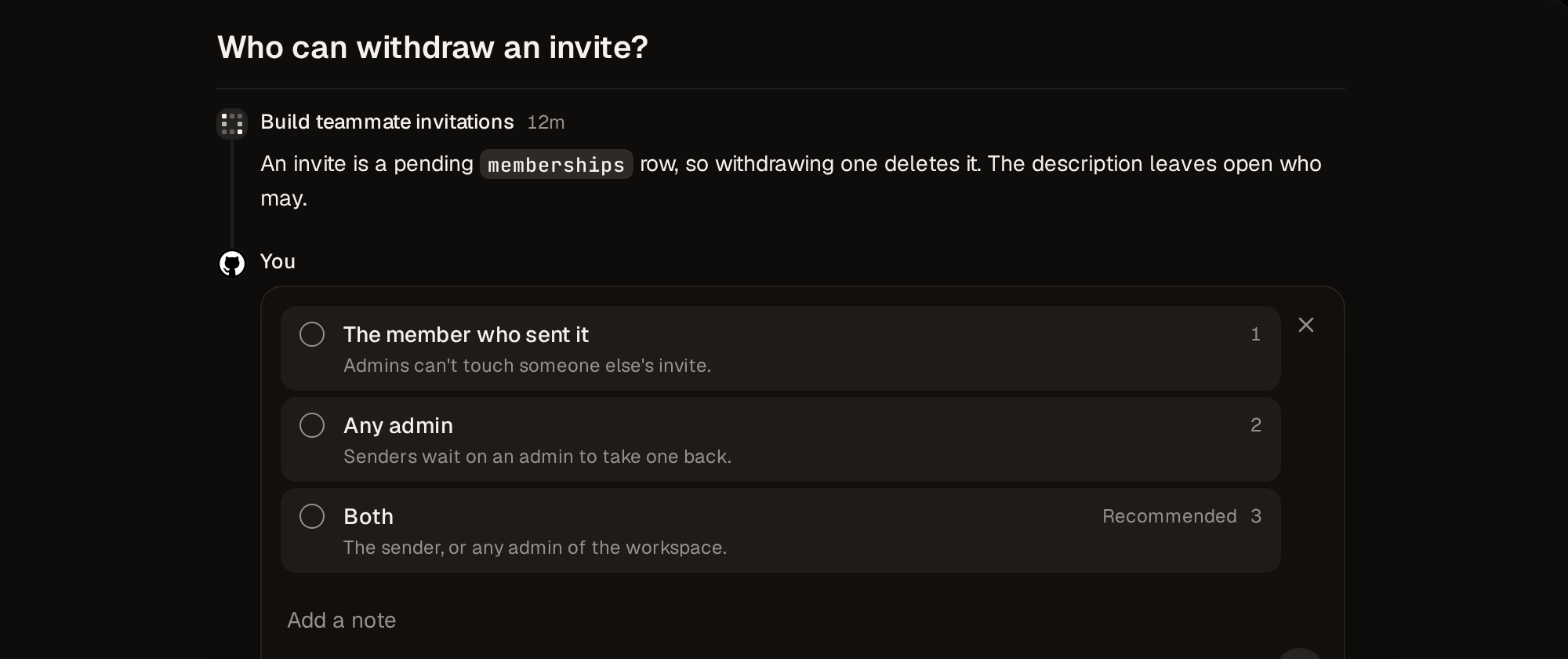
Decide
Pick an option, or press its number, then click Send. Some decisions let you pick more than one.
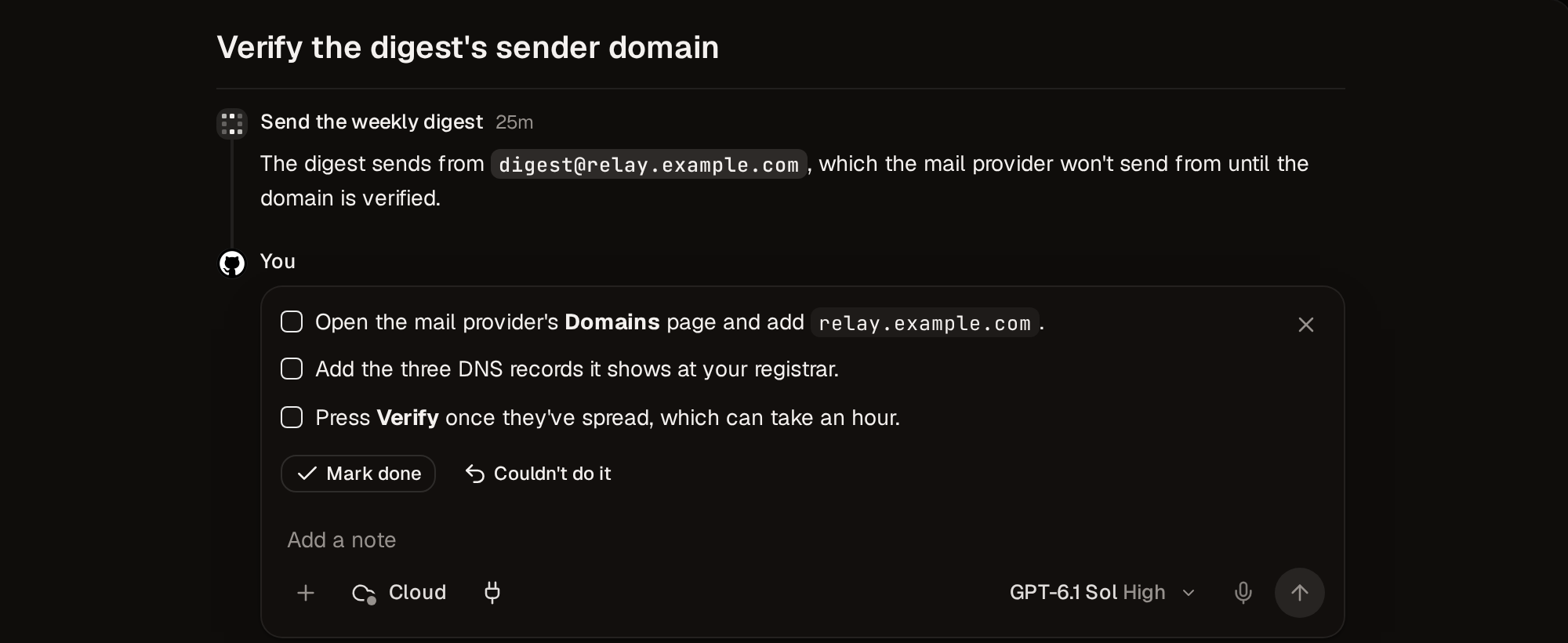
To-do
Do the steps, click Mark done, then click Send. If you couldn't do them, click Couldn't do it, add a note saying why, and click Send.
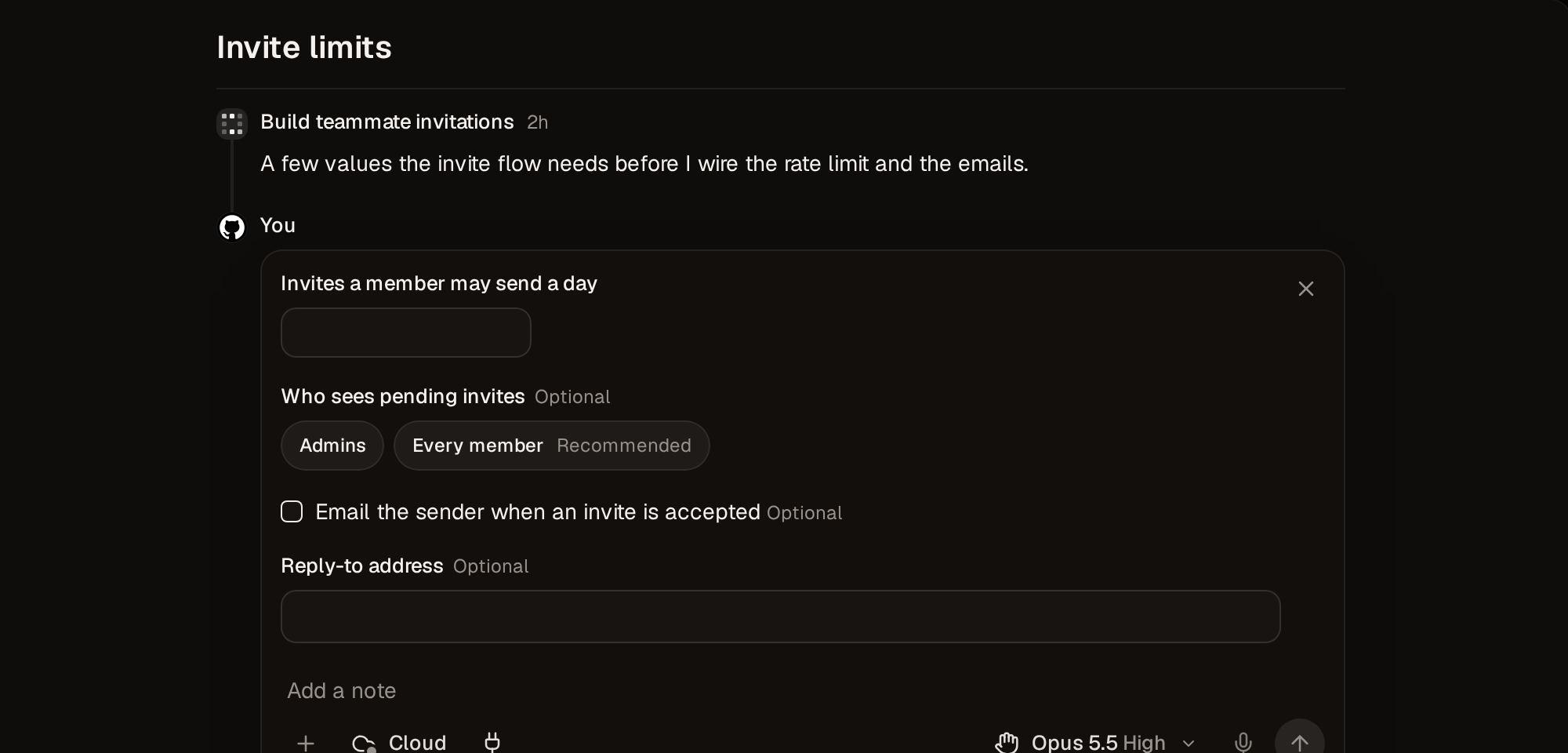
Answer
Write your answer or fill in the fields, then click Send.
A thread with no ask is a notice. If it's addressed to you, opening it settles it. Otherwise, click Got it.
Reply
To reply without answering, write in the box and click Send without picking anything. The ask stays open and the agent replies. The one exception is an answer ask with no fields, where whatever you write is your answer.
Who a thread waits on
A thread waits on the member the agent addressed it to. If there isn't one, it waits on the task's assignee, and failing that, on whoever started the agent. Anyone in the workspace can still answer it.
Filter
View options above the list changes what you see.
| Option | Shows |
|---|---|
| Questions | Open asks waiting on you |
| Open | Threads that aren't settled, plus settled threads you haven't read. This is the default. |
| All | Everything except threads with a reminder |
| Reminders | Threads you set a reminder on |
| Addressed to | Threads for you, anyone, or one teammate |
| Pinned tasks first | Threads from your pinned tasks at the top |
Resolve and remind
Resolve (E) settles a thread without answering it. You can undo it until the agent has been told. Remind me (H) hides a thread until the time you pick.
If the agent posts again on a settled thread, it opens back up.
Keyboard
| Action | Keys |
|---|---|
| Inbox | ⇧⌘I |
| Next or previous thread | J / K |
| Choose an option | 1–9 |
| Reply to selection | R |
| Mark as read or unread | U |
| Remind me | H |
| Resolve | E |
| Open in task | ⌘O |
Notifications
On the Mac and the web, turn on Show a notification or Play a sound in Settings › Preferences › Notifications. On iPhone, threads waiting on you arrive as notifications you can answer from. For Slack, see Slack.
Frequently asked questions
Can a teammate answer a thread that's waiting on me?
Yes. Anyone in the workspace can answer any thread.
Where do threads go when I set a reminder?
They leave the list until the reminder comes due. Until then, only the Reminders view shows them.
Related guides
How Vespin isolates coding agents
What a cloud agent's sandbox holds, what it can reach, and how long it lasts.
Where Vespin agents run: cloud or your Mac
An agent runs in a cloud sandbox or on a machine of yours. Here's how the two differ and how to set up your own.