
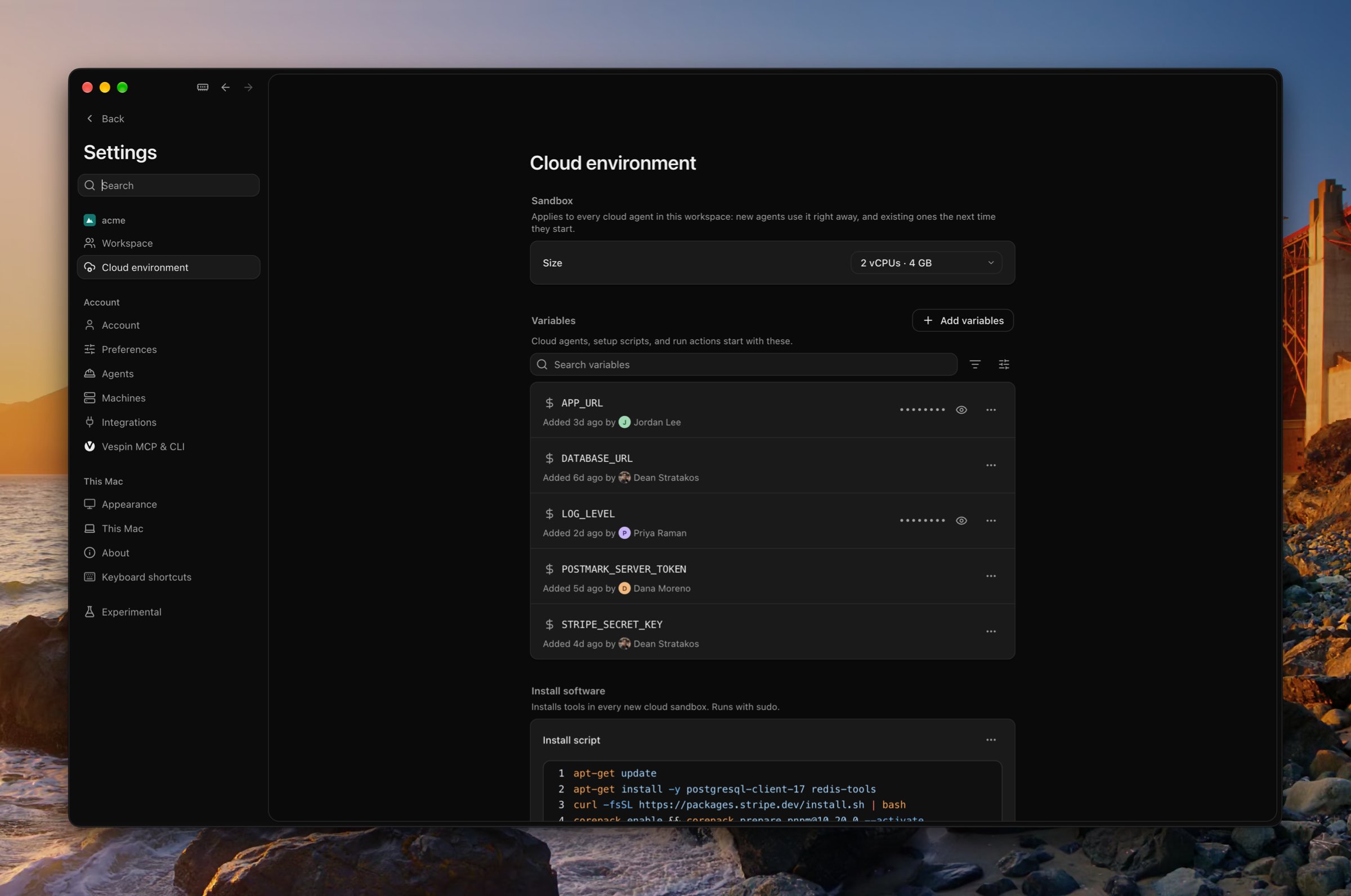
Sandbox size
Every cloud agent in the workspace runs at one size, which owners and admins choose under Sandbox: 2 vCPUs and 4 GB of memory, 4 vCPUs and 8 GB, or 8 vCPUs and 16 GB. New agents use it right away, and existing ones the next time they start. A workspace starts at 2 vCPUs.Variables
Variables are set in every cloud agent’s sandbox, in every repository. Use them for the keys your tests and dev server need. A Secret is hidden once it’s saved. A Config stays visible to everyone in the workspace. To change a value, choose Edit from the variable’s ⋯ menu. The agent can read a variable’s value, so anything it prints may reach its model and transcript. Agents on a Mac don’t get these variables; they use the Mac’s own environment.Install software
The install script runs as root each time a sandbox boots, including when a stopped one starts again, before the repository’s setup script. If it fails, the setup script is skipped. Use it for system packages:Setup scripts
A repository’s setup script runs once in each agent’s checkout, after it’s cloned, with the workspace’s variables. Use it to install dependencies:/tmp/vespin-setup.log, which ends with --- exit N when it finishes, and the agent reads that log before relying on the setup. A script that fails stops at the failed command and runs again the next time the sandbox is made.
Run actions
A run action is a named command for a repository, such as a dev server or a test suite. It runs from the Run button at the end of the agent’s tab row, which runs the default action, or stops it while it runs. ⌘K lists every action too. In the Mac app, ⌥⌘R runs the default.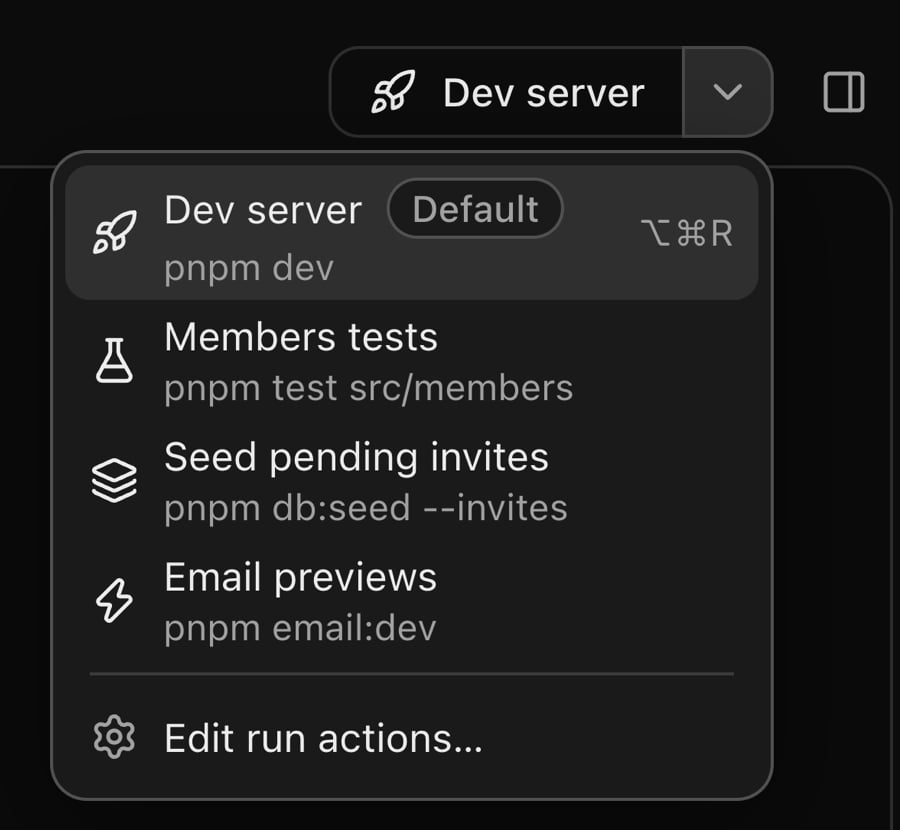
The sandbox
From a terminal,
vespin env manages variables and vespin setup manages setup scripts and run actions. See Workspace.