
Modes
New agents start on Full access. Change your default in Settings › Agents › Default permissions. To change one agent, open its model chip’s menu and choose Permissions, before it starts or while it runs. A change takes effect from the next turn. An agent in an asking mode shows the mode’s icon on its model chip.
An automation’s agents always run on Full access.
Approvals
A waiting action stands in the agent’s transcript with the command or edit it would make.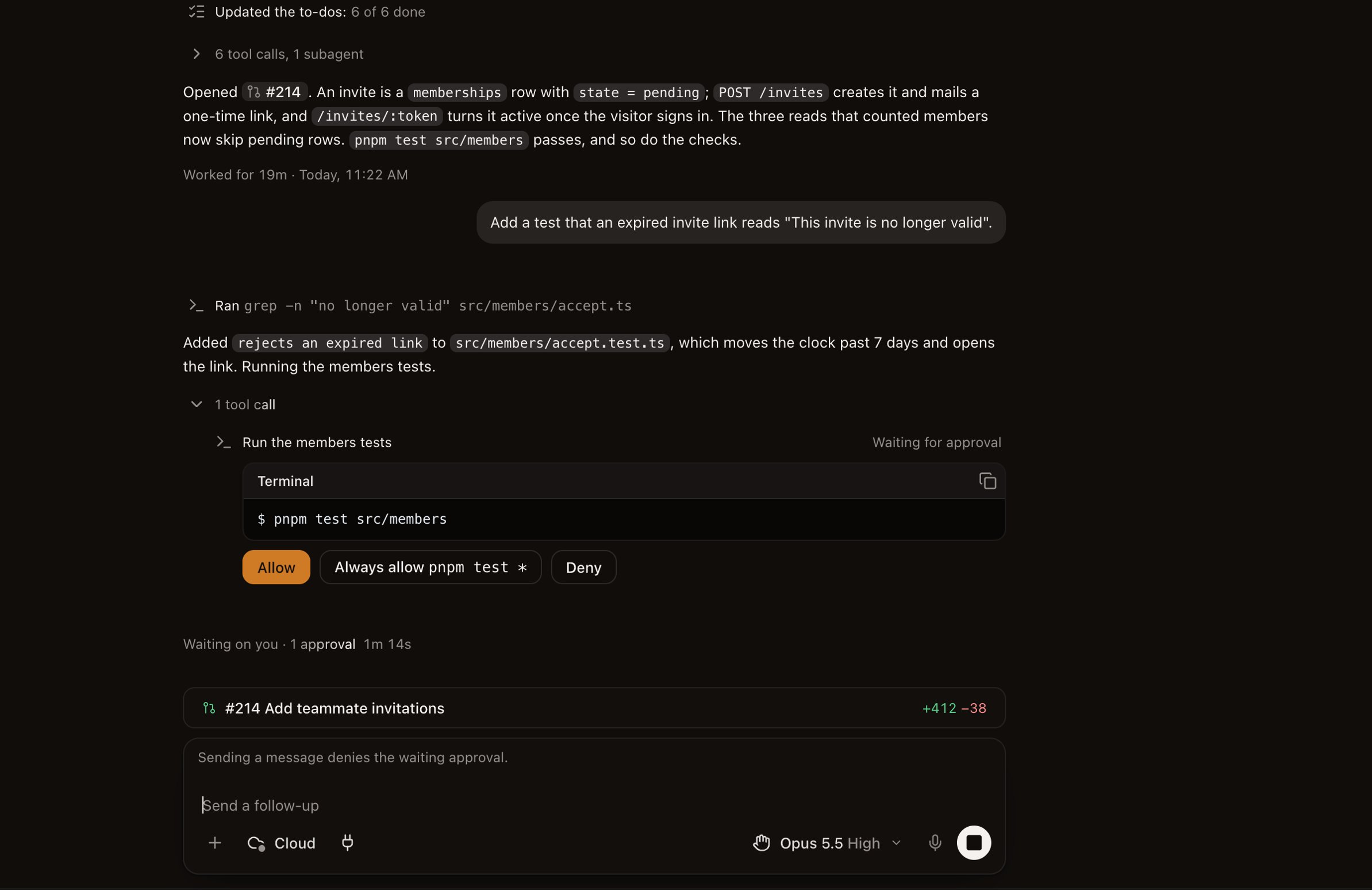
- Allow runs it once.
- Always allow runs every action like it without asking for the rest of the agent’s session. When Claude Code proposes a command prefix, such as
pnpm test *, the button names it, and the prefix is kept for all your Claude Code agents. - Deny refuses it, with an optional note telling the agent why.