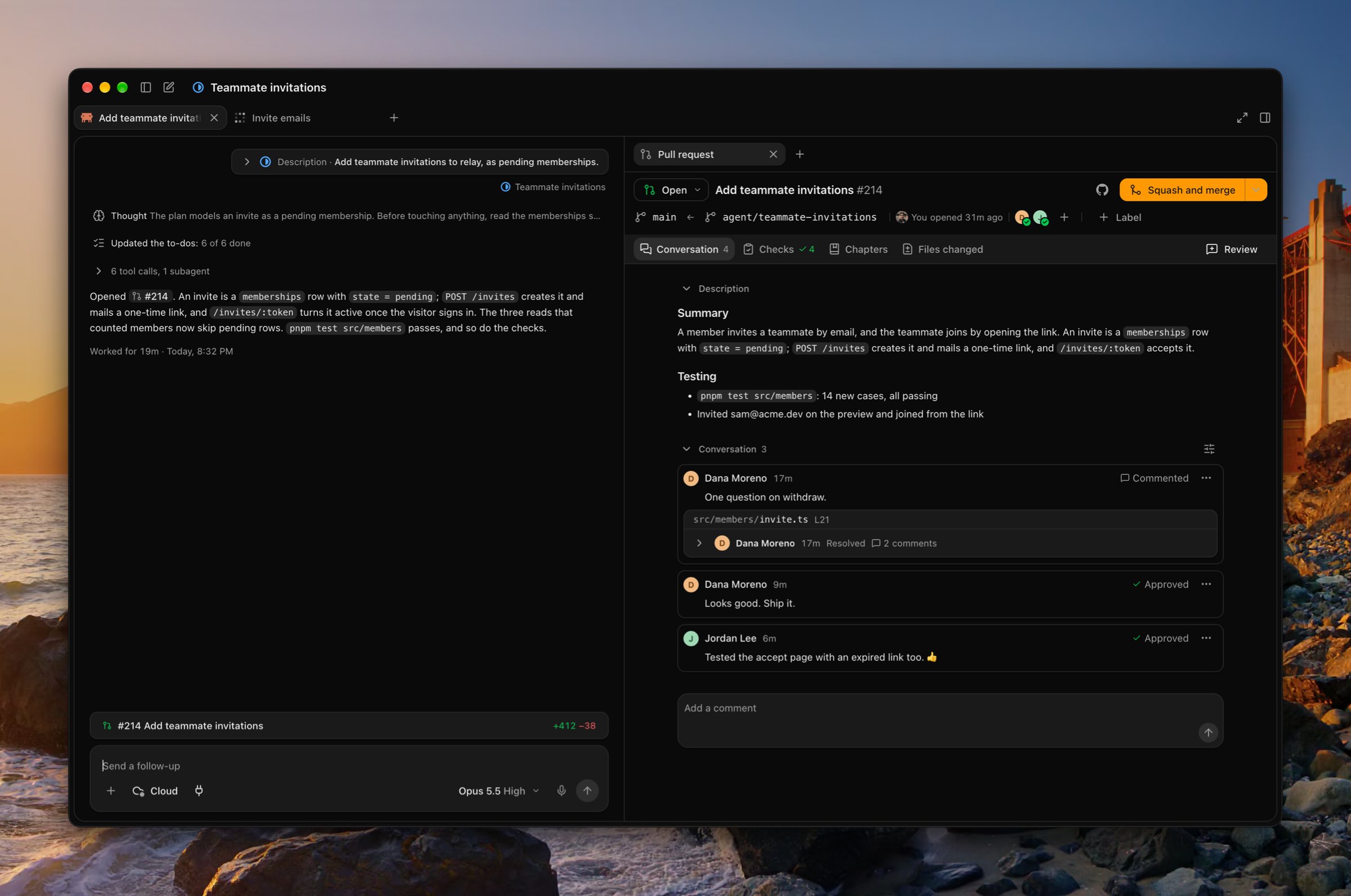
An agent opens its pull request on GitHub as you, or as Vespin’s app if you choose that in Settings › Preferences › Commit author. The PR’s row sits over the agent’s message box, and pressing it opens the Pull request tab in the side panel. To open pull requests on GitHub instead, set Settings › Preferences › Open pull requests in to GitHub.

The tab

An agent's transcript beside its Pull request tab for #214 Add teammate invitations: the Conversation tab with the description, Dana's resolved thread, and two approvals, with Checks, Chapters, and Files changed beside it and Squash and merge in the header
Chapters are made only when someone presses Generate, on their own Anthropic or OpenAI API key from Settings › Agents. After new commits, Regenerate makes them again for the new head. In Files changed, press J and K to move between files, V to mark one viewed and go to the next, and ? for the rest. In Chapters, ← and → step between chapters. For every key, see Keyboard shortcuts.

Review

Comment on a line from the gutter’s + in Files changed, or select lines to comment on a range, and submit with Review at the end of the tab row. Everything you write is posted on GitHub as you.

Merge

The merge button merges with the method you pick, and remembers it per repository on that device. When checks or reviews are still due, Enable auto-merge has GitHub merge it once they pass. With admin rights, Bypass rules and merge… merges without waiting for required checks or reviews. ⇧⌘O opens the PR on GitHub.

What reaches the agent

With Vespin’s GitHub App installed, a review, a comment on the PR, a failed check, and the PR’s merge or close reach the agent as messages from GitHub, drawn as cards in its transcript. The agent reads them, fixes what they ask, and pushes. With a personal access token instead of the App, nothing wakes the agent. It reads the PR’s reviews and comments itself before it ends each turn.